Refer to the list below the images.
- Theme Loading icon
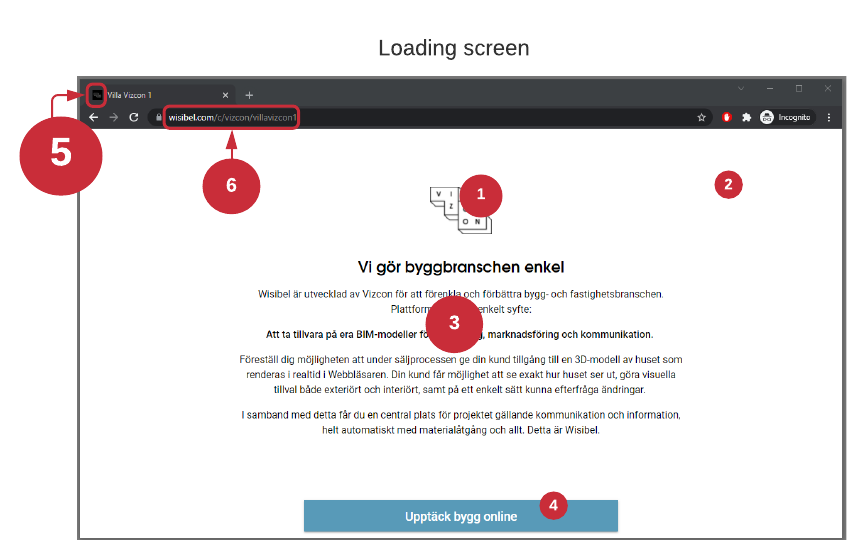
- Loading screen, styling options available in themes
- A Page assigned as Initial page in Configurator
- Button text in page, see 3.
- Theme favicon
- Domain, sub domains, tenant URL-slug + configurator URL-slug.
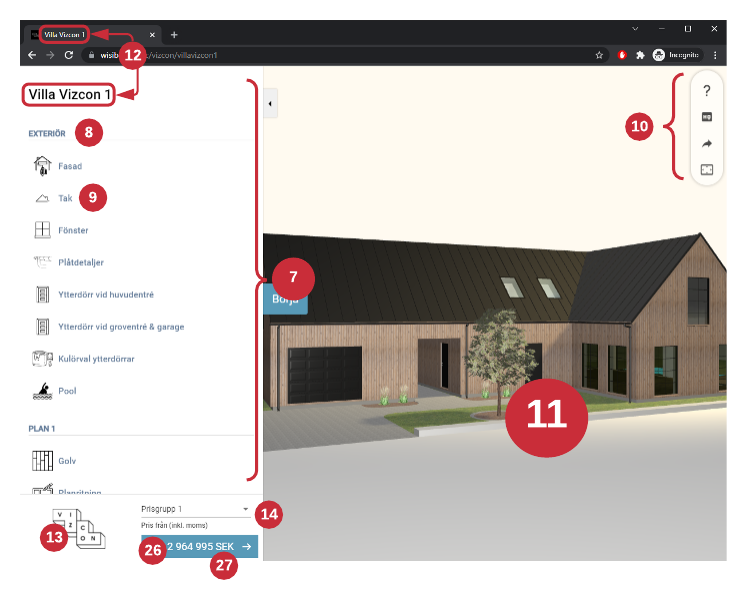
- Menu
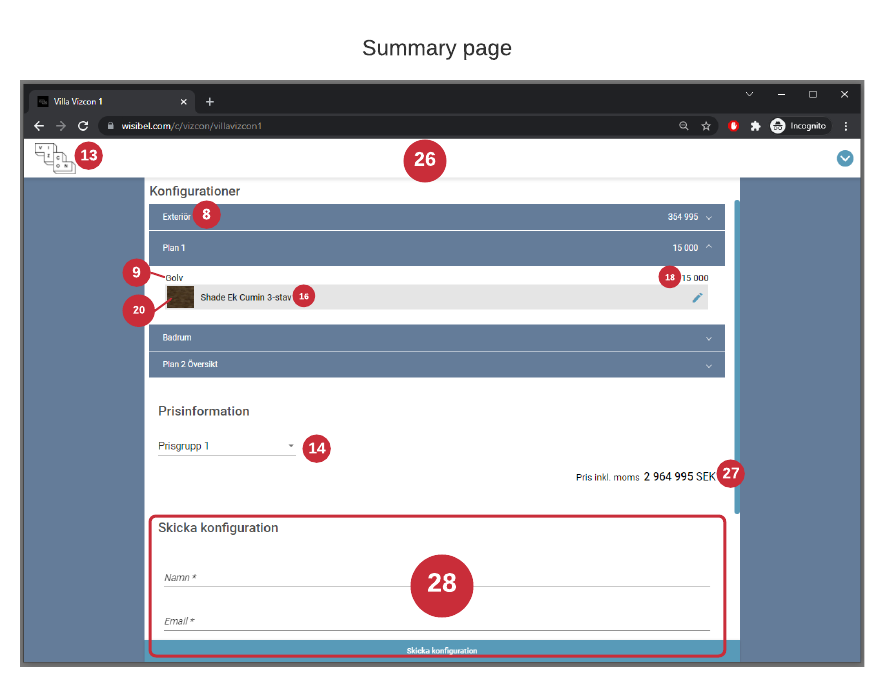
- Button section
- Menu button
- Toolbar - show help overlay, change quality, share configuration, etc.
- 3D-view, configurator, 3D-models
- Configurator name
- Theme Logo
- Price group, display settings available in Layout settings.
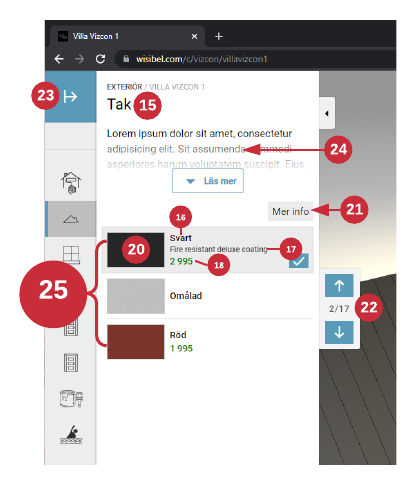
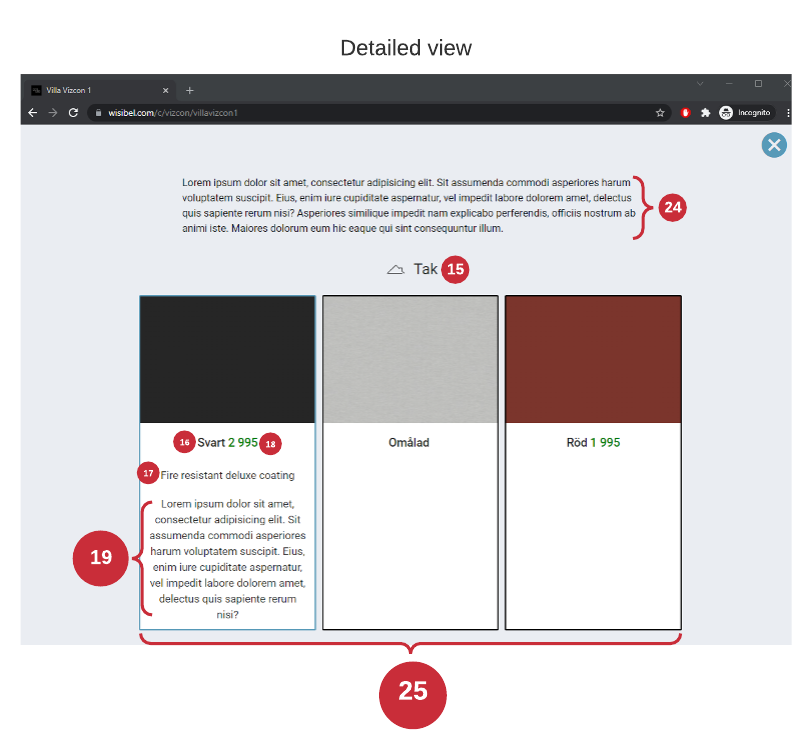
- Menu button text
- Name of Option (Design or Design material)
- Description of Option (Design or Design material)
- Price of Option (Design or Design material)
- Long description of Option (Design or Design material)
- Image of Option (Design or Design material)
- Detailed view button - displays the Options in a popup/modal
- Stepper
- Expand menu
- Detailed view page of Menu button, see pages for editing.
- Options - designs or design materials found by menu button context name
- Summary page
- Configurator currency
- Configurator summary page, see pages for changing fields editing.
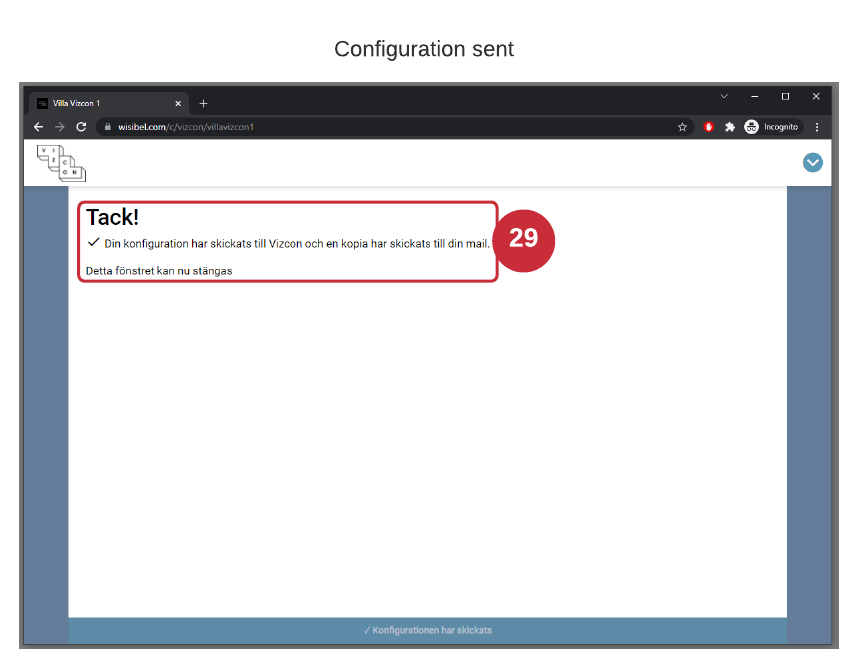
- Configuration sent screen (after the user clicks Send configuration), see markup templates for editing the content, and assigning markup templates in Layouts.