Pages have different types and are used in various places in the live view. They are used to:
- Display information, such as on the loading screen, long descriptions for options (WYSIWYG and Info)
- Set the fields (email, name, tel, etc) that the user has to fill out when sending a configuration (Form)
- Display text and numerical input fields as options
¶ Editing pages
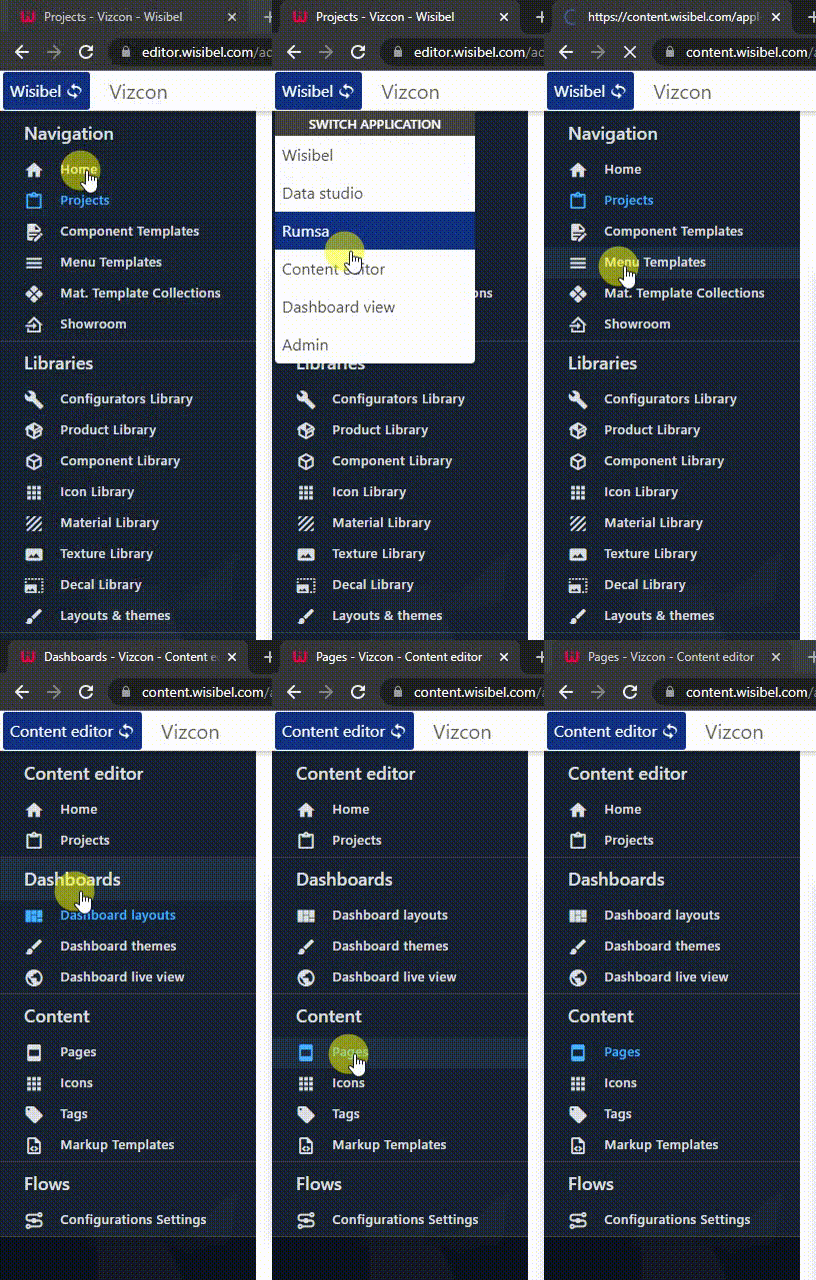
Go to the Content editor by selecting Content in the top left corner, and go to Pages:
¶ Page types
The page type is selected when a page is created.
¶ WYSIWYG (What you see is what you get)
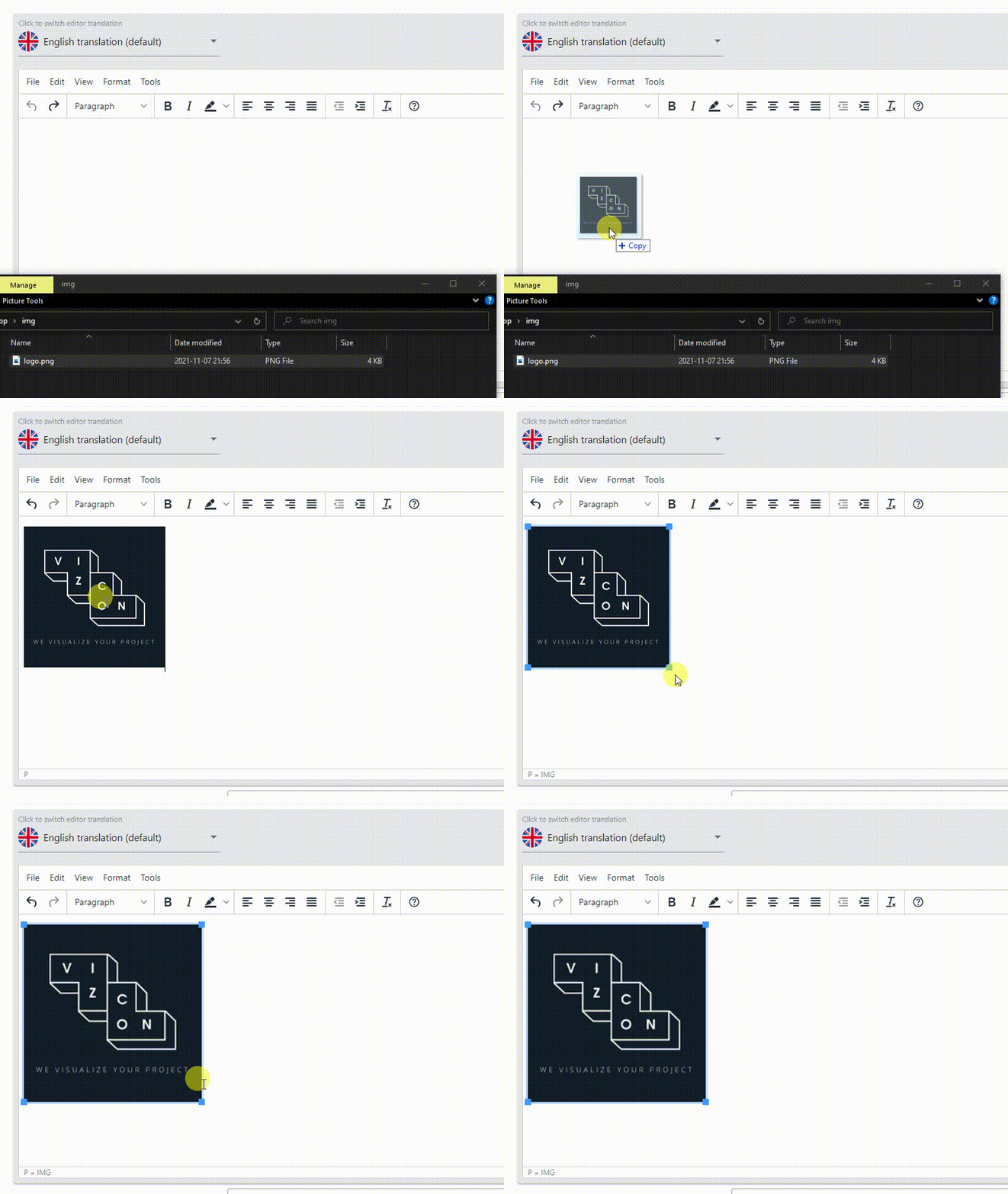
The recommended way to create informative text and images. The content is edited by using a rich text editor, which allows different fonts, colors, images and more.
Images are added by Drag and drop:
¶ Form
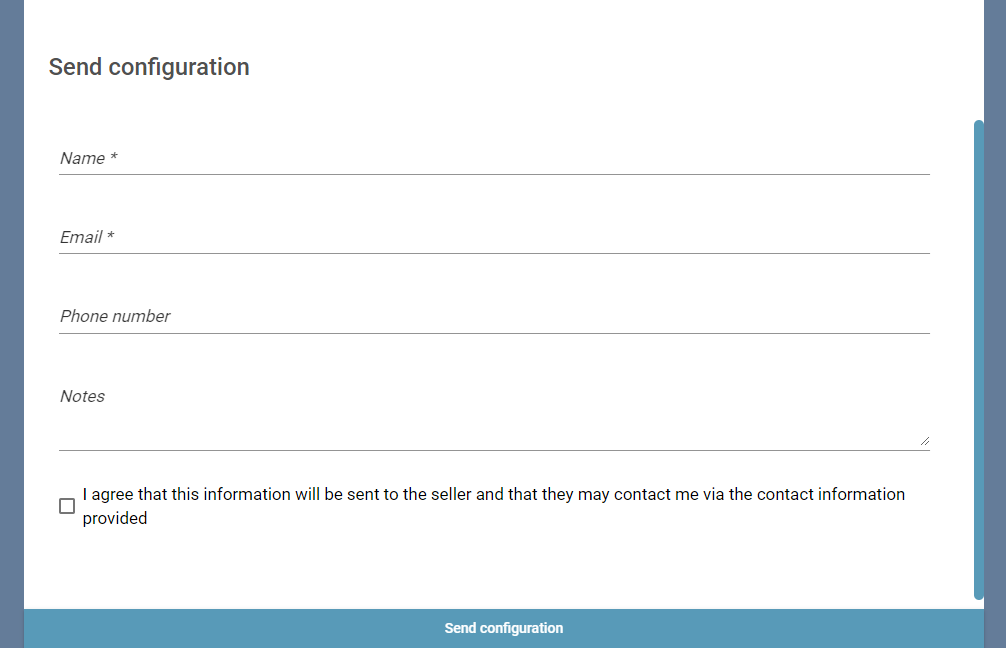
Forms are used to collect input from the user (such as name, email, etc.) before completing a configuration, or the dimensions of a room.
¶ Form fields
Forms contains Fields. In the image above, there's five fields (name, email, tel, notes, checkbox).
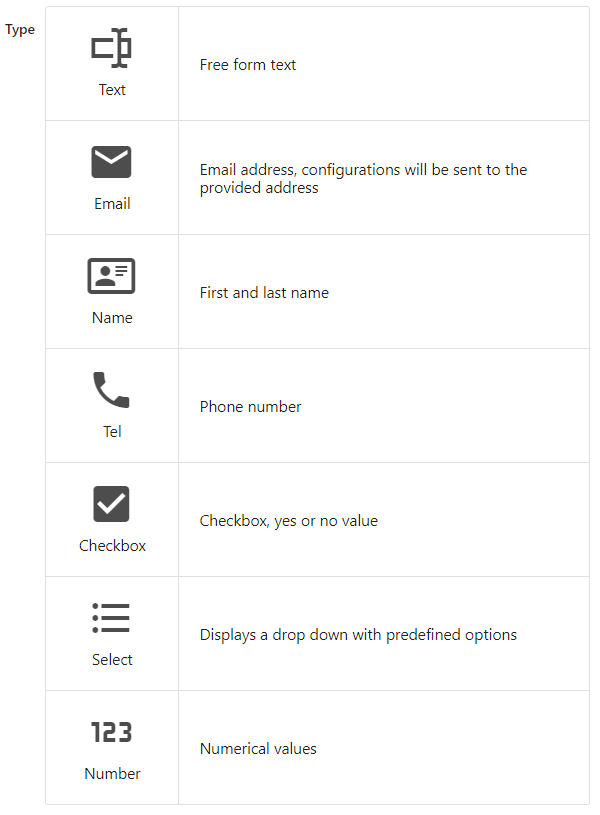
Selecting the correct field type is important to enable auto complete.
¶ Info
Legacy - the WYSIWYG type is better suited for displaying text and images
Displays the information in a list format. Add a Field for every entry.