Animations are used to change the 3D view to better guide the user when making choices. They are used in Button sections, Menu buttons and Rules.
Animations are not primarily used to change the 3D models in shape or color, it's instead done by the user in the Options menu.
¶ Creating animations
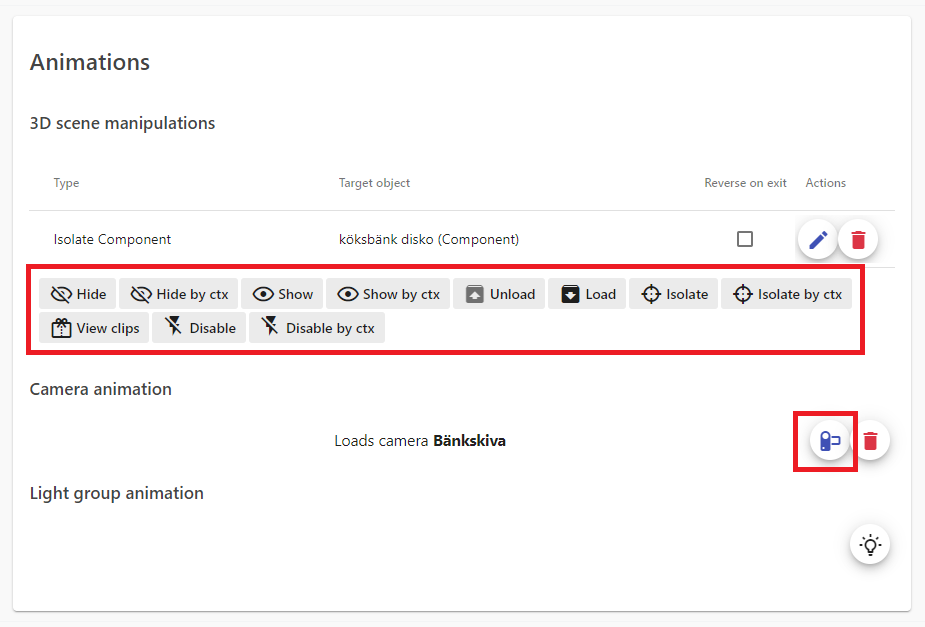
Animations can be created within Button sections, Menu buttons or Rules, by clicking the following buttons:
¶ Reverse on exit
When enabled, the application attempts to make the opposite action when the animation is no longer active, such as when the user leaves the current menu button. Not all animation types have a reverse action, and it's primarily used for Hide/Show.
¶ Animation types
¶ Hide and Show
Used to instantly change the visibility of a Configurator entity and their children. All configurator entities are visible by default. Common use cases are:
- Hiding the Roof and Floor 2 when focusing Floor 1
- Show non cruicial components, such as the floor plan.
Adding Hide and Show-animations is much easier if the components are structured into Products, since the visibility affects their children.
¶ Strategy
A good strategy when using Hide/Show animations in the menu is to let each button section or menu button reset/clean up their changes by enabling Reverse on exit. For example, if menu button Kitchen cabinet color hides the roof and floor 2, it should reset their visibility and let the next clicked menu button decide what they need. Otherwise, every menu entity must explicitly state what should be visible at all times.
¶ Hide and Show by context name
Same functionality, but targets entities by their context names.
¶ Load and Unload
Loads or Unloads the entity and their children from the 3D-view.
By default, every entity added to the configurator is loaded, which prolongs the initial loading time. Therefore it's common to defer the loading of non-cruicial entitites until they're needed, such as loading the furniture when the user first clicks a menu button targeting the interior.
¶ Unloading vs. Hiding
Unloading completely removes the entity from the 3D-view, and any configurations done within will be removed, while Hiding only affects the visibility.
¶ Isolate
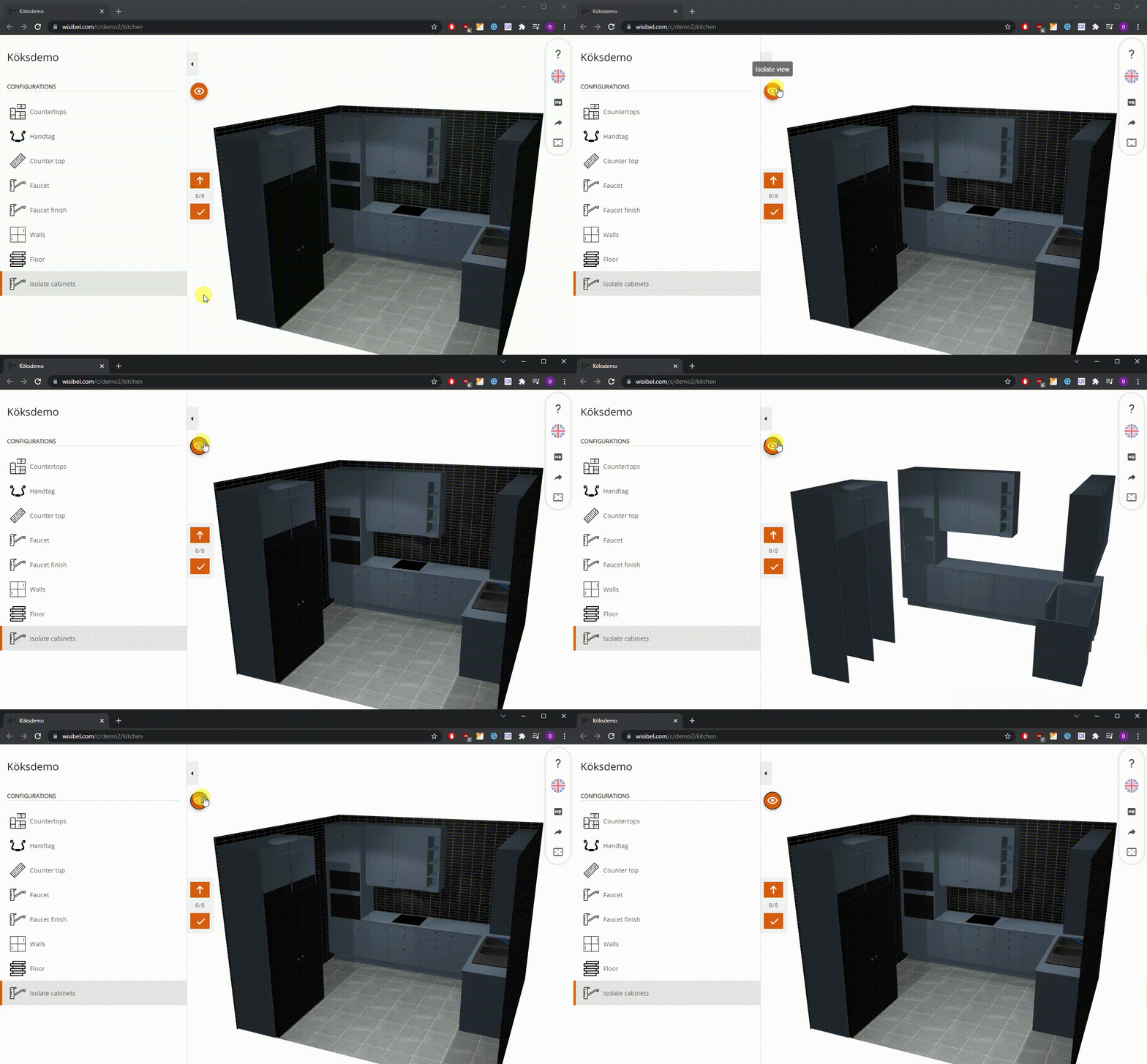
Adds the option to toggle a configurator entity as the only visible entity. In the example below, the kitchen cabinets are isolated:
¶ Isolate by context name
Same functionality, but targets entities by their context names.
¶ Disable
Disables the availability of an Option (design or design material). The Option is not selectable when disabled, and if it's loaded by the time the disabling occurs, the next option is selected automatically.
¶ Disable by context name
Same functionality, but targets entities by their context names.